
Voice AI Chat Widget Security Protection
Your Voice AI chat widget includes automatic security protection to defend against misuse and ensure that only genuine visitors can interact with your AI assistant. This keeps your conversations running smoothly and protects your account resources.
What is Security Protection in Voice AI Chat Widget?
Security Protection in the Voice AI Chat Widget automatically detects suspicious behavior and challenges potential bots before they can abuse your system. When a visitor rapidly connects and disconnects multiple times in quick succession, they'll need to verify they're human before continuing.
This happens automatically in the background — you don't need to configure anything. Genuine parents and families using your widget normally will never encounter this challenge.
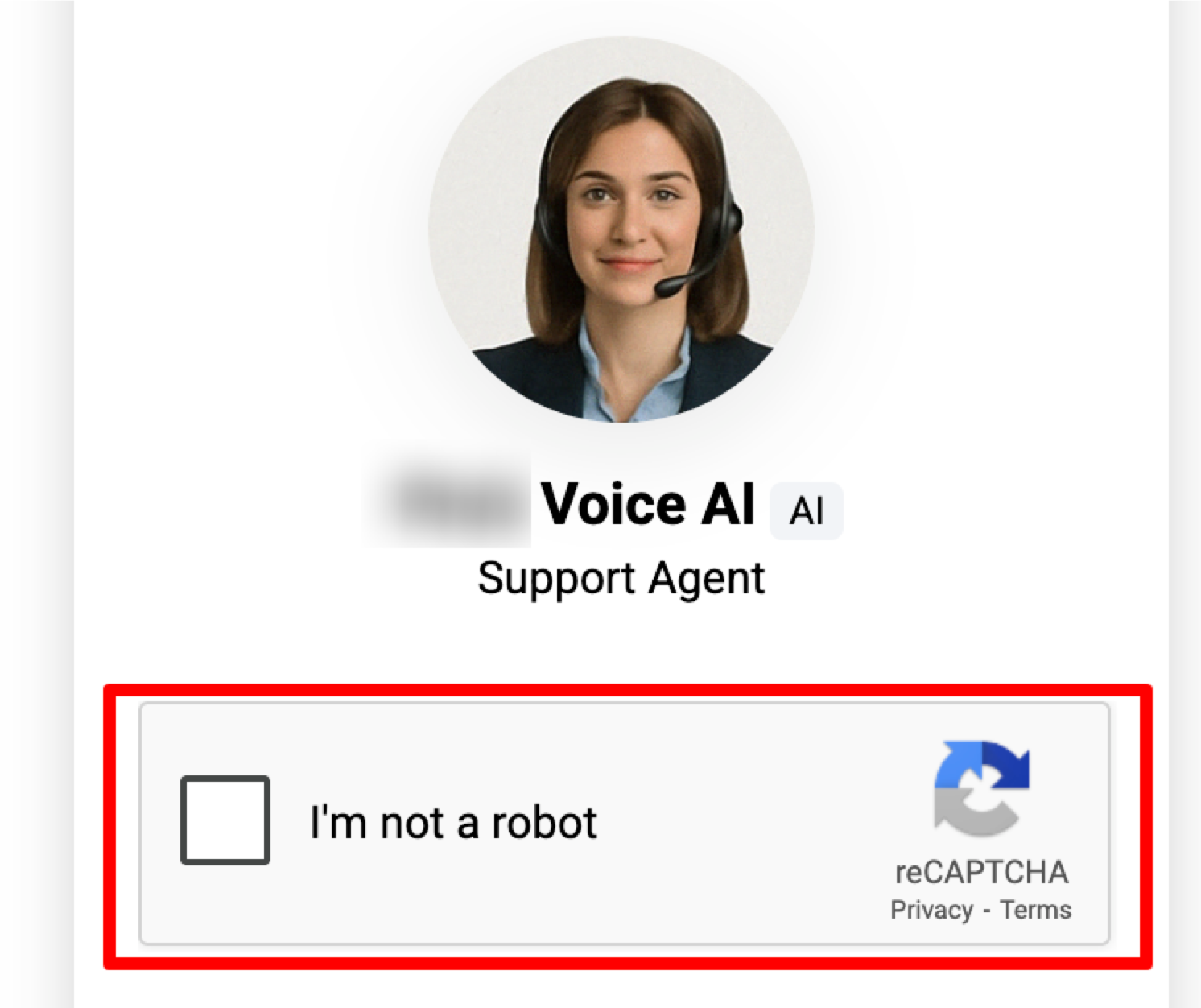
How the Security Challenge Works
The security challenge triggers when a visitor exhibits bot-like behavior:
- A visitor initiates a Voice AI chat widget call on your enrollment site
- That same visitor rapidly connects and disconnects 10 times within 60 seconds
- The system automatically presents a security challenge to verify they're human
- Once they pass the challenge, they can continue using the Voice AI widget normally
Pro tip: This protection only affects the Voice AI chat widget. Your standard text chat widget operates independently and isn't affected by this feature.
Frequently Asked Questions
What triggers the security challenge in the Voice AI chat widget?
The challenge appears if the same visitor rapidly connects and disconnects 10 times within 60 seconds. This pattern indicates potential bot activity rather than genuine parent interaction.
Does this protection impact my standard chat widget?
No. This security feature applies exclusively to Voice AI chat widgets. Your standard text-based chat widget usage remains completely unaffected.
Do I need to enable this protection manually?
No configuration needed — the protection is automatically active for all Voice AI chat widgets. It works in the background to protect your account without requiring any setup.
Can I adjust the threshold for when the challenge appears?
The threshold of 10 rapid connect/disconnect cycles within 60 seconds is fixed and designed to catch abusive behavior while not interfering with normal usage. This setting isn't currently adjustable.
Will legitimate parents ever see this challenge?
It's extremely unlikely. Parents having genuine conversations with your Voice AI assistant won't trigger this protection. Only rapid, repeated connecting and disconnecting — behavior typical of bots — will activate the security challenge.
Comments
Please sign in to leave a comment.